
How THΔKΔA Professional Simplifies Budgeting for CFOs & Finance Teams
If you work in finance, you know Excel plays a familiar role in your budgeting process. And yes, Excel has earned its place in finance.
It is familiar, flexible, and useful for building calculations, testing assumptions, and exploring different scenarios. For a small team or a straightforward budget, it may be all you need.
But the challenge begins when the budgeting grows beyond one workbook or one person managing it.
More departments get involved. More versions appear. Reviews and approvals happen over email or chat. Finance spends time checking which file is current, chasing submissions, and combining numbers instead of analysing them.
So the real question is not whether Excel is good or bad. It is whether your budgeting process still works when more people, more data, and more decisions depend on it.
That is where THΔKΔA Professional AI-guided budgeting makes a difference.
Excel Budgeting vs. THΔKΔA Professional AI-Guided Budgeting
AI-guided budgeting is not simply a spreadsheet with an AI label. The key difference is the process around the numbers: how a budget is set up, how work is assigned, how submissions move through review, and how people get answers after the budget is published.
Here is how the two approaches compare.
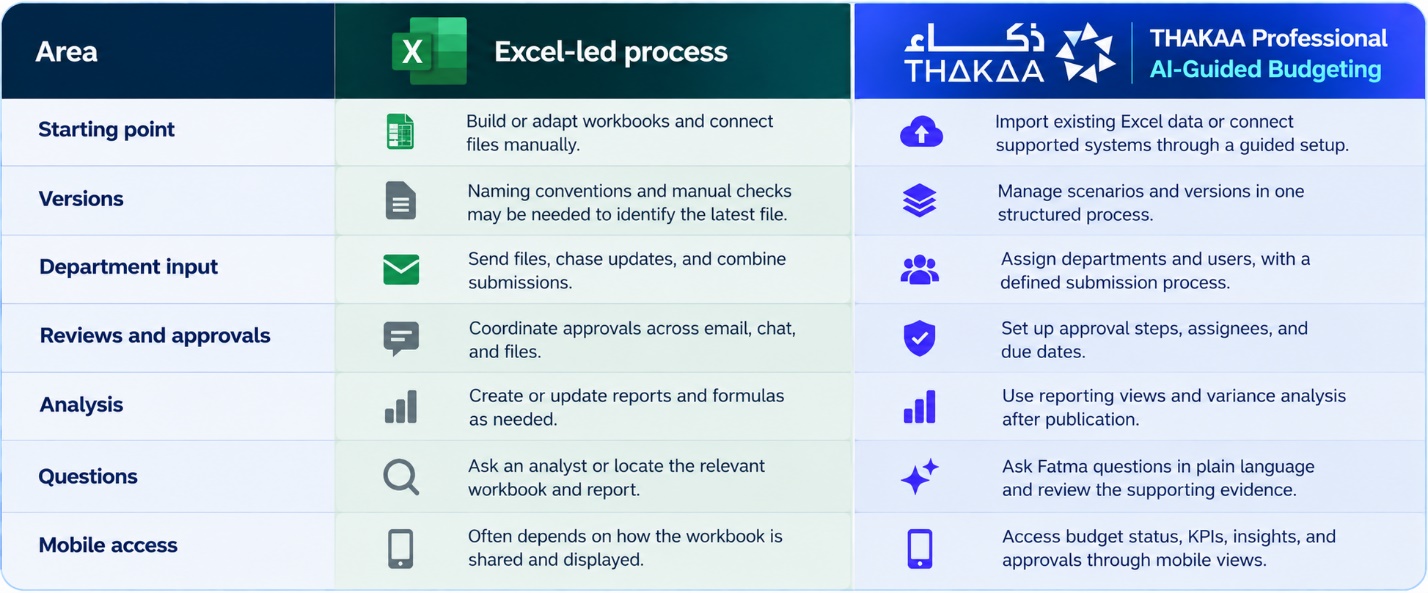
The right choice depends on complexity. Excel may remain the best fit for a simple budget with few contributors and limited approval requirements. A more structured platform becomes worth evaluating when coordination, control, and recurring analysis are taking too much time.
How THΔKΔA Professional Changes the Budgeting Process
THΔKΔA Professional is an AI-as-a-Service budgeting module designed to help finance teams prepare, submit, review, approve, publish, and analyse budgets through an AI-guided process.
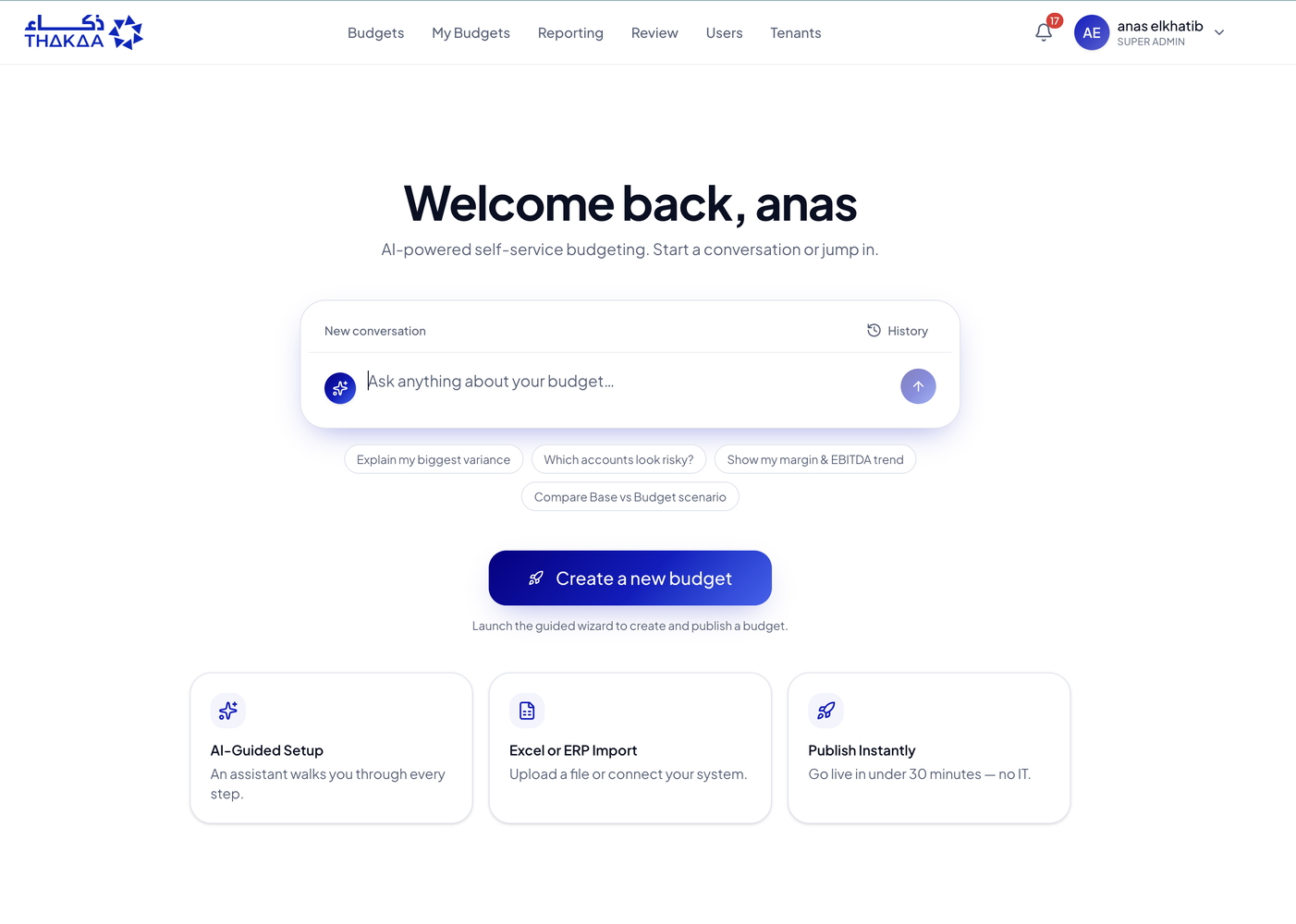
Rather than forcing your team to start with a blank model, you can bring existing Excel workbooks into the process or connect any platform.
The aim is to make budgeting easier to set up and manage without requiring the finance team to depend on consultants for every step.
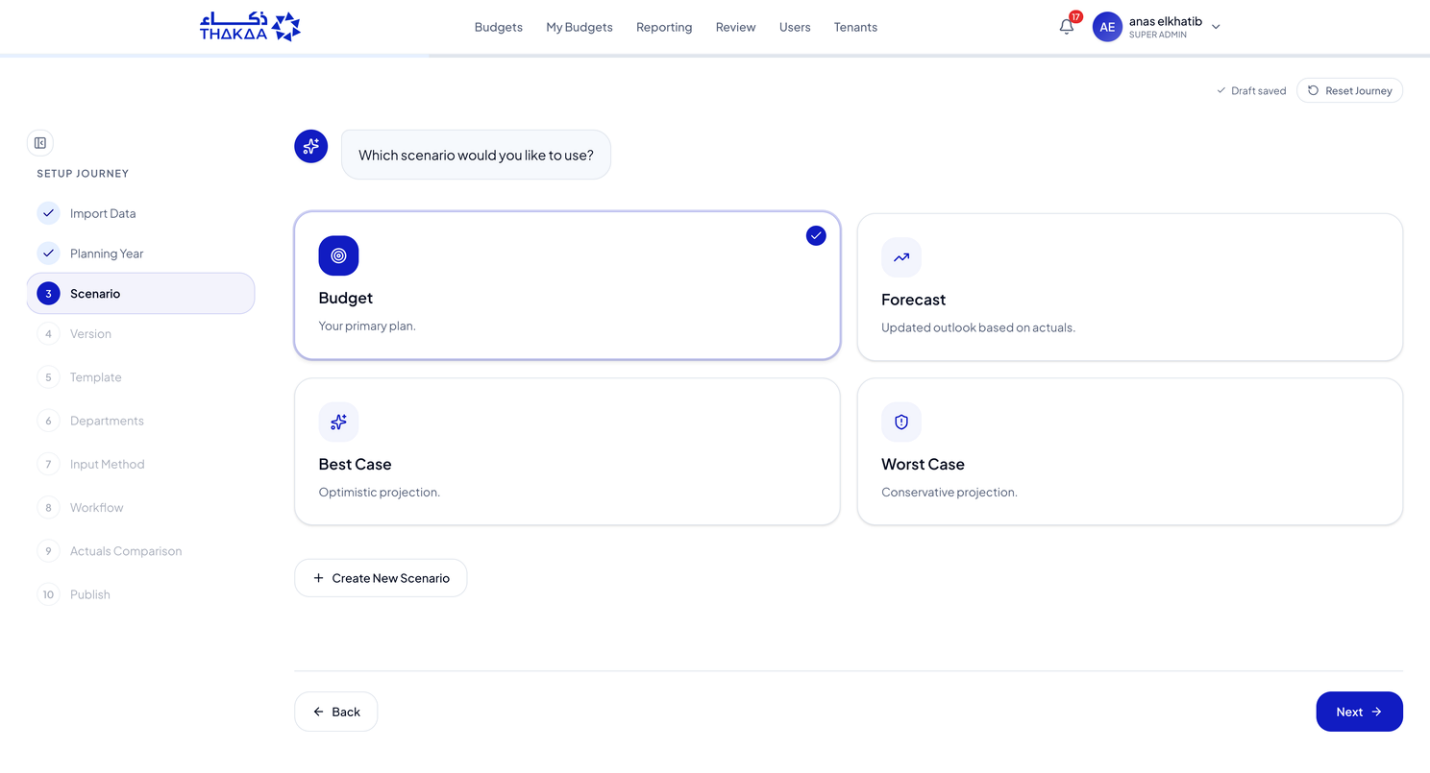
Follow a Guided 10-Step Setup
You do not necessarily need to abandon your existing spreadsheets.
THΔKΔA Professional supports importing Excel workbooks, allowing your team to work from familiar financial data and continue through a more structured budgeting process.
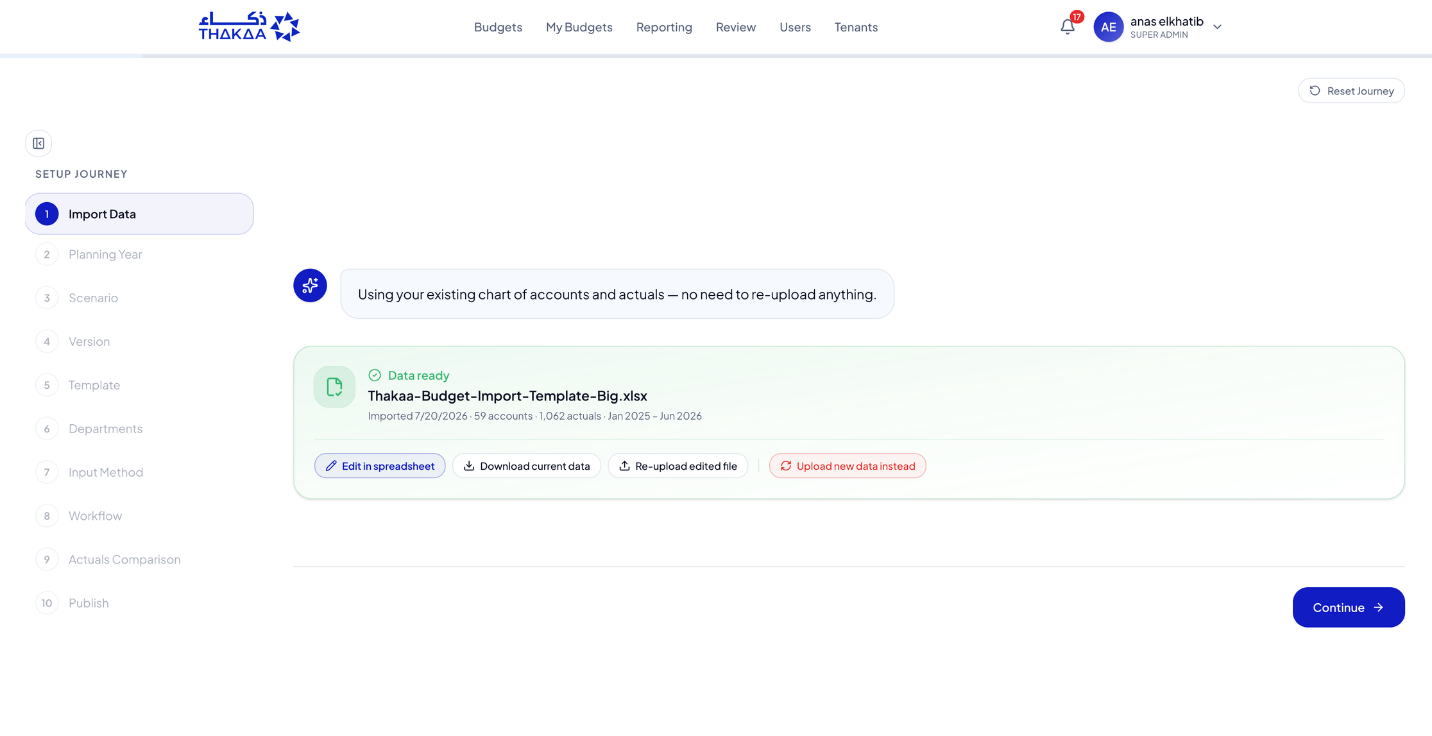
The setup assistant takes users through the key choices that shape a budget:
- Import Data — Bring in your existing data.
- Planning Year — Select the period you want to plan.
- Scenario — Choose a scenario such as Budget, Forecast, Best Case, or Worst Case.
- Version — Manage draft and final versions.
- Template — Select the appropriate budgeting structure.
- Departments — Assign departments and users.
- Input Method — Define how information will be entered.
- Workflow — Set up submissions, reviews, and approvals.
- Actuals Comparison — Configure the comparison with actual results.
- Publish — Complete the process and publish the budget.
The goal is to make the process easier to follow and run. THΔKΔA Professional is positioned for a fast, self-service setup, intended to reduce the need for lengthy implementation projects.
Keep Spreadsheet Familiarity, Add More Control
Moving to a more structured budgeting process does not mean finance teams must abandon spreadsheet-style planning.
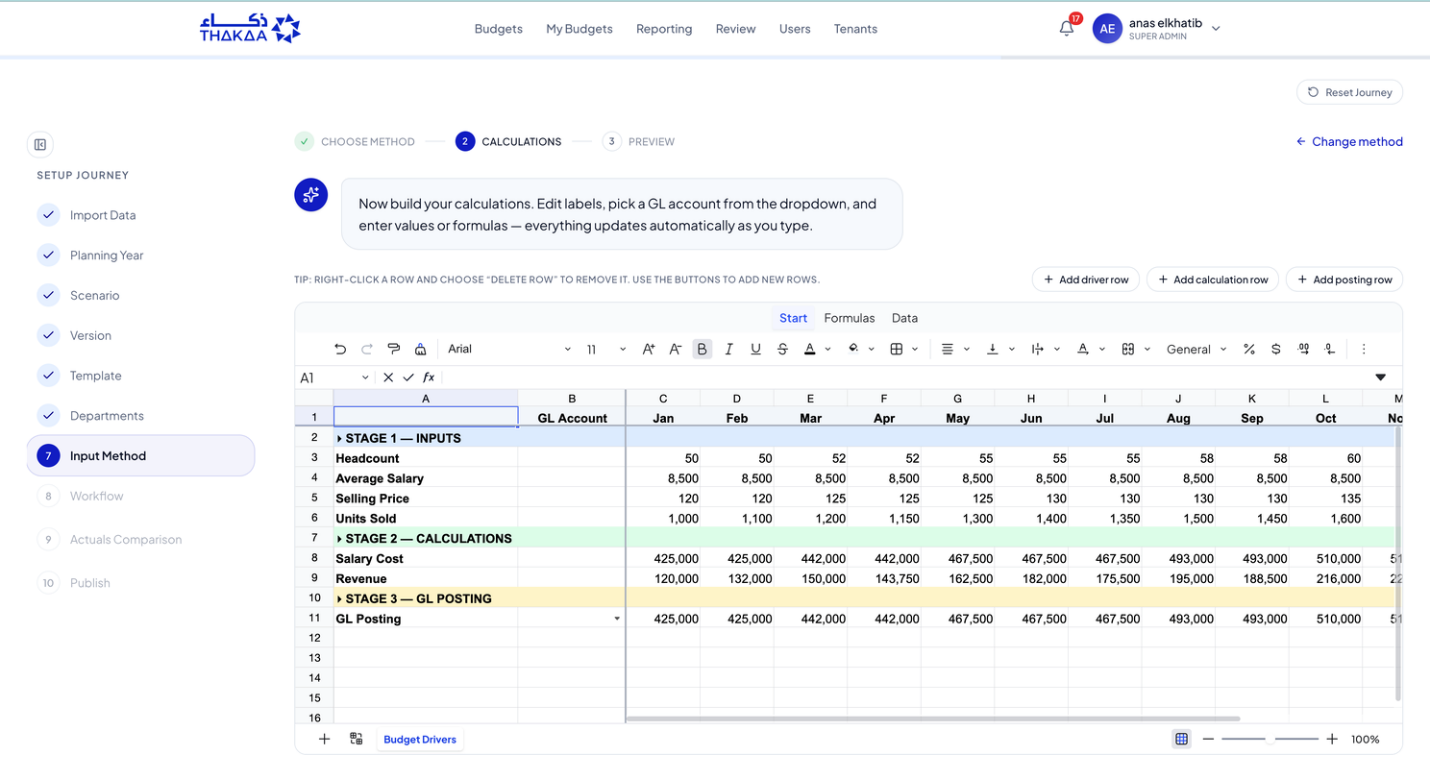
THΔKΔA Professional supports controlled driver sheets, reusable formulas, staged calculations, and defined inputs. Teams can continue working with familiar spreadsheet concepts while bringing more structure to the wider process.
The difference is that the budgeting process can also include defined ownership, review steps, and an activity trail.
Defined approval steps, activity records, and controls such as preventing users from approving their own submissions can also help create a clearer trail. These controls should be configured to match your own governance and internal policies.
Just Ask Fatma Your Virtual AI CFO: Get Answers Without Losing the Evidence
A budget contains more than numbers. It contains assumptions, relationships, and changes that leaders need to understand.
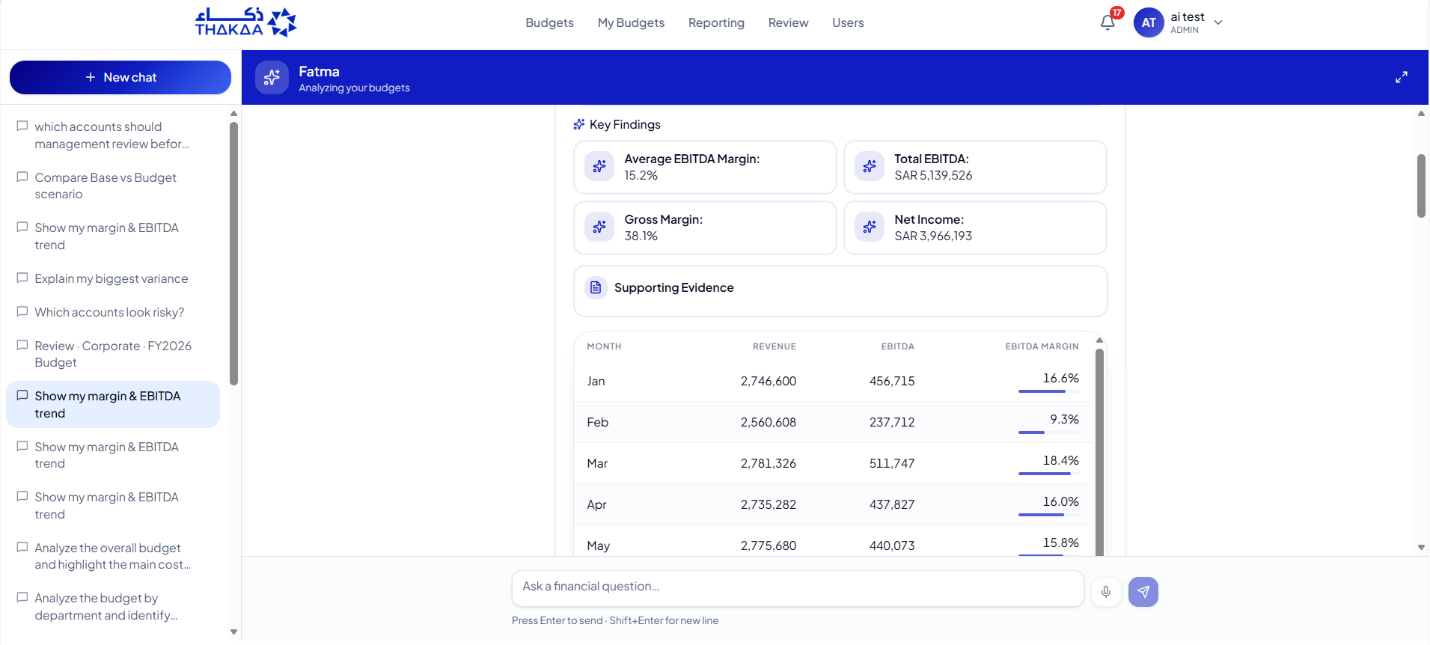
Fatma, THΔKΔA Professional's Virtual AI CFO assistant, lets users ask budget questions in plain language and review the supporting evidence.
Instead of manually searching through reports, a finance user might ask:
- “Explain my biggest budget variance.”
- “Compare the Base and Budget scenarios.”
- “Which accounts look unusual?”
- “Show me the margin and EBITDA trend.”
- “What is waiting for approval?”
Depending on the data and reporting setup, users can explore consolidated P&L information, top accounts, monthly totals, growth, outliers, approvals, workloads, and cycle times. The point is not to remove human judgement. It is to reduce the distance between a question and the evidence needed to make a decision.
Budget Visibility Beyond the Desktop
Budgeting does not always happen at a desk.
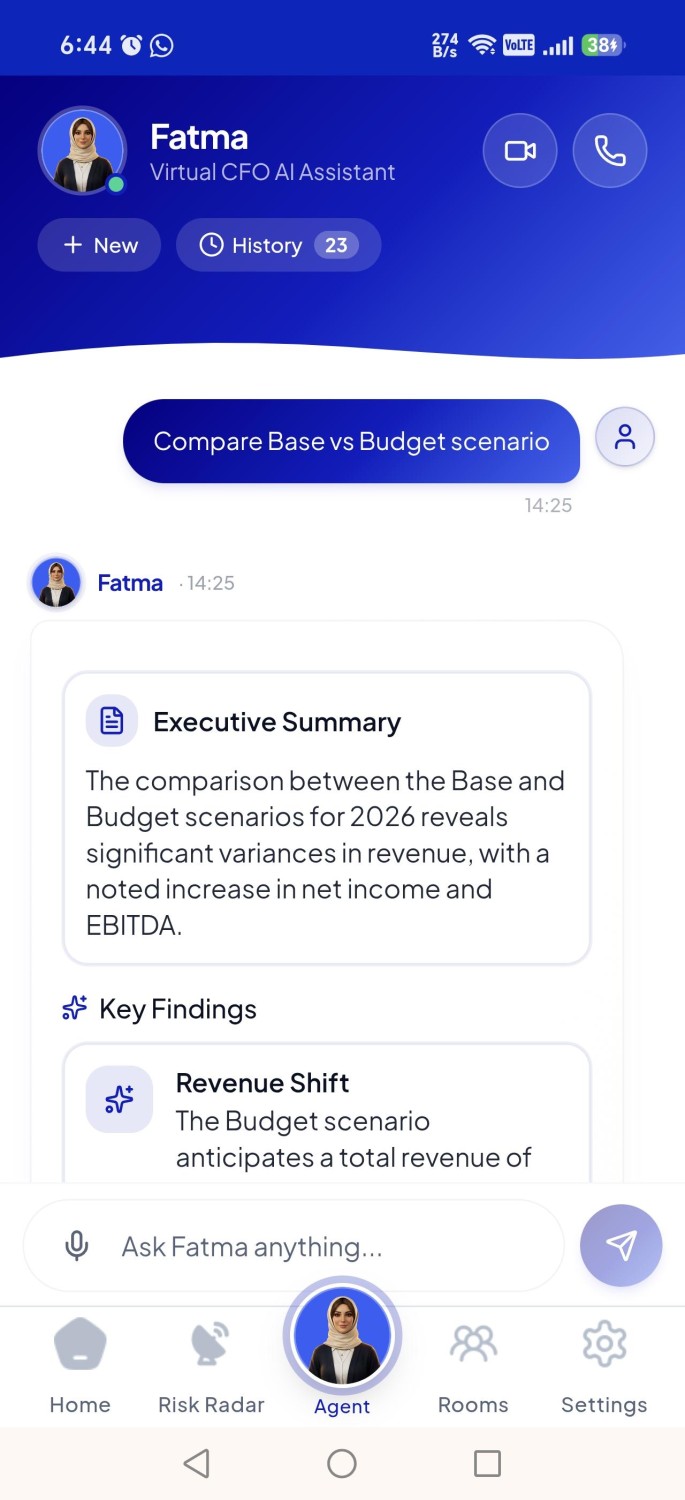
CFOs, finance directors, and department managers may need to check the status of a submission, review a KPI, or approve work while away from their computers.
THΔKΔA Professional's mobile experience gives authorised users access to budget information, financial insights, approval activity, and Fatma, your Virtual AI CFO.
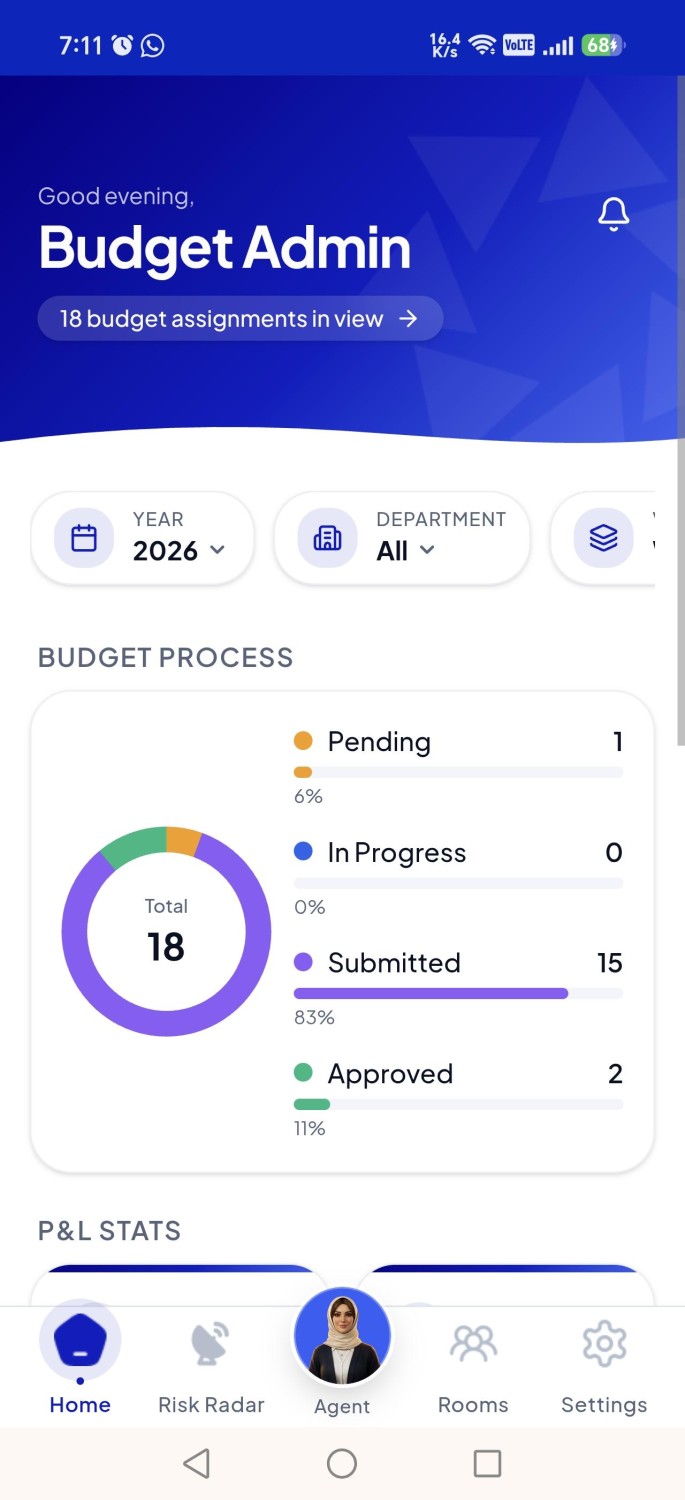
This can help teams stay connected to the budgeting process without depending entirely on desktop access.
The Work Continues After the Budget Is Published
Publication is a milestone, not the end of budgeting.
Finance teams still need to compare actuals with the plan, explain variances, and understand how performance is changing.
THΔKΔA Professional includes reporting views intended to support that work, including income statement analysis, profitability trends, operating expense breakdowns, and ad hoc analysis by selected dimensions.
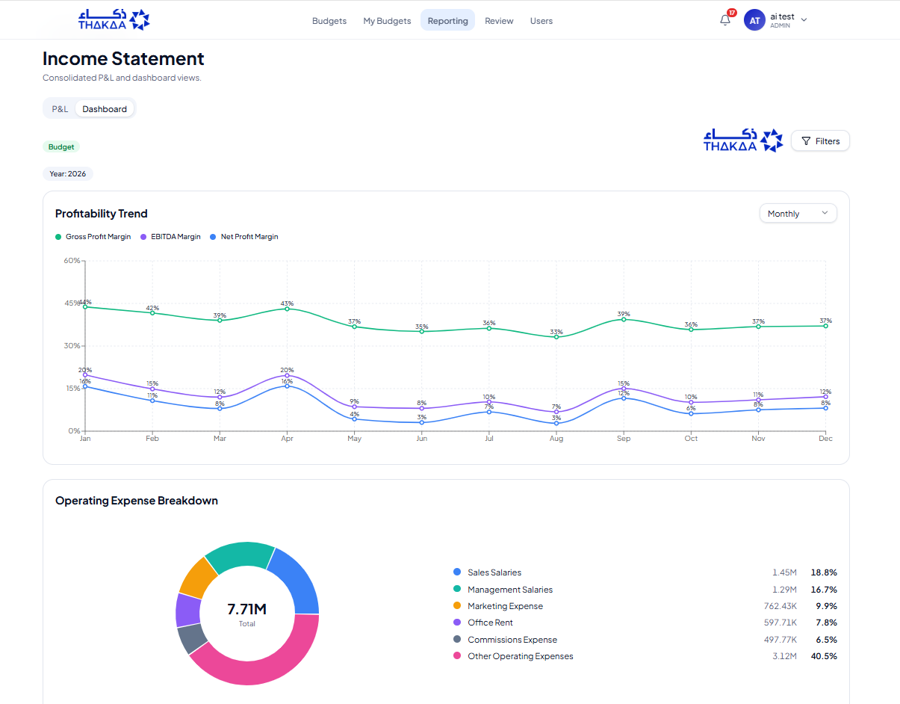
These views help finance teams move from preparing the budget to reviewing how the organisation is performing against it.
Is AI-Guided Budgeting Right for Your Team?
Not every organisation needs a dedicated budgeting platform. If your budget is small, the model is stable, and a few people can manage it without delays or control issues, Excel may remain a reasonable choice.
It may be time to evaluate a more structured approach if:
- Your team spends too much time reconciling versions and collecting inputs.
- Budget ownership is spread across many departments or entities.
- Approvals are hard to track or audit.
- Leaders repeatedly wait for answers to routine budget questions.
- You need a more repeatable way to compare budget and actual performance.
Before choosing a tool, map your current process. Count the handoffs, identify where work gets stuck, and estimate how much time goes into coordination versus analysis.
Then ask a simple question:
Is your current process helping your team make better decisions, or is managing the process taking time away from them?
The answer will help you decide whether a more structured approach is worth the investment.
Move to AI Budgeting and See How Your Team Can Simplify Budgeting in Real-Time
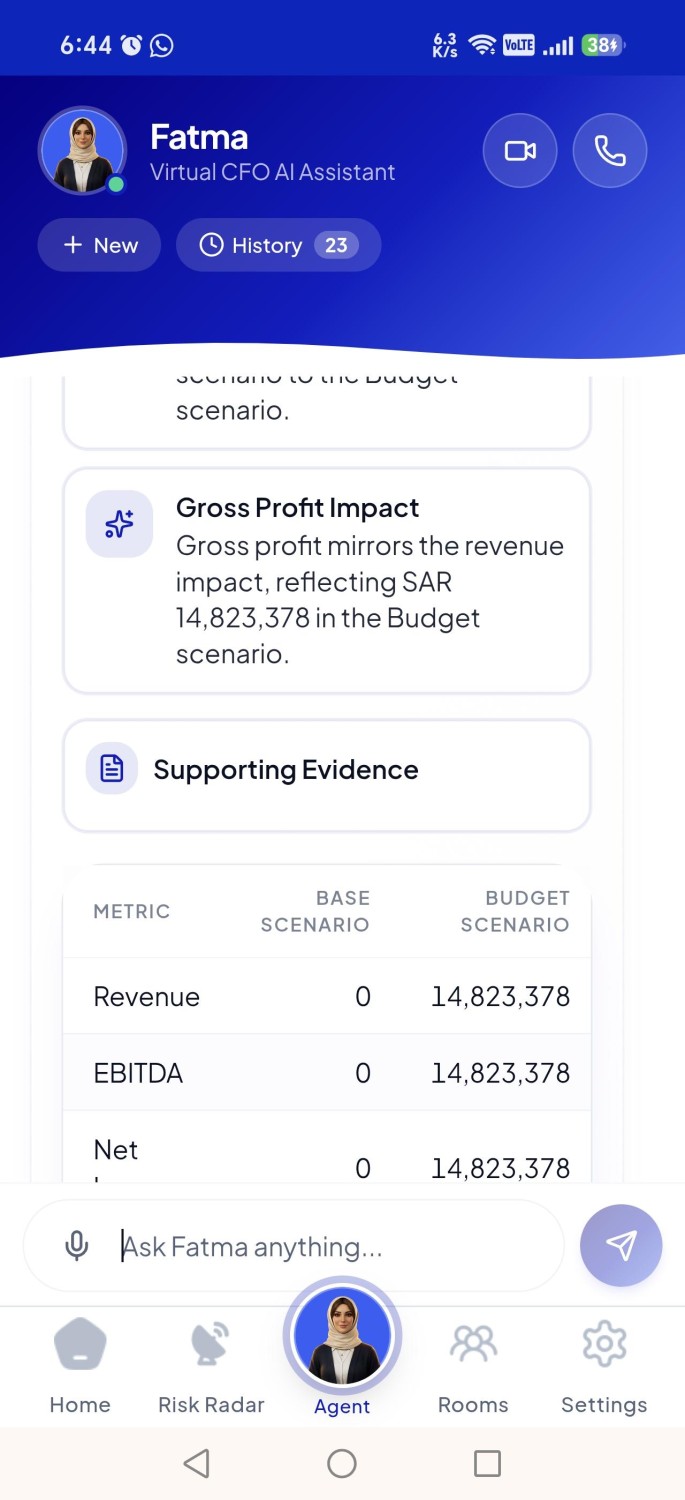
THΔKΔA Professional brings guided setup, structured submissions and approvals, financial reporting, mobile access, and Fatma's plain-language assistance into one budgeting workflow.
If your team is looking for a more organised way to manage budgeting, explore how the process works and compare it with your current approach.
Visit Our Website: https://thakaa-dpc.ai/
THΔKΔA – Intelligence Everywhere
Simplify your next budget cycle. Explore THΔKΔA Professional or book a free demo to see AI-guided budgeting in action.